Advanced patterns: Aliases and multi-tenancy
Collection aliases
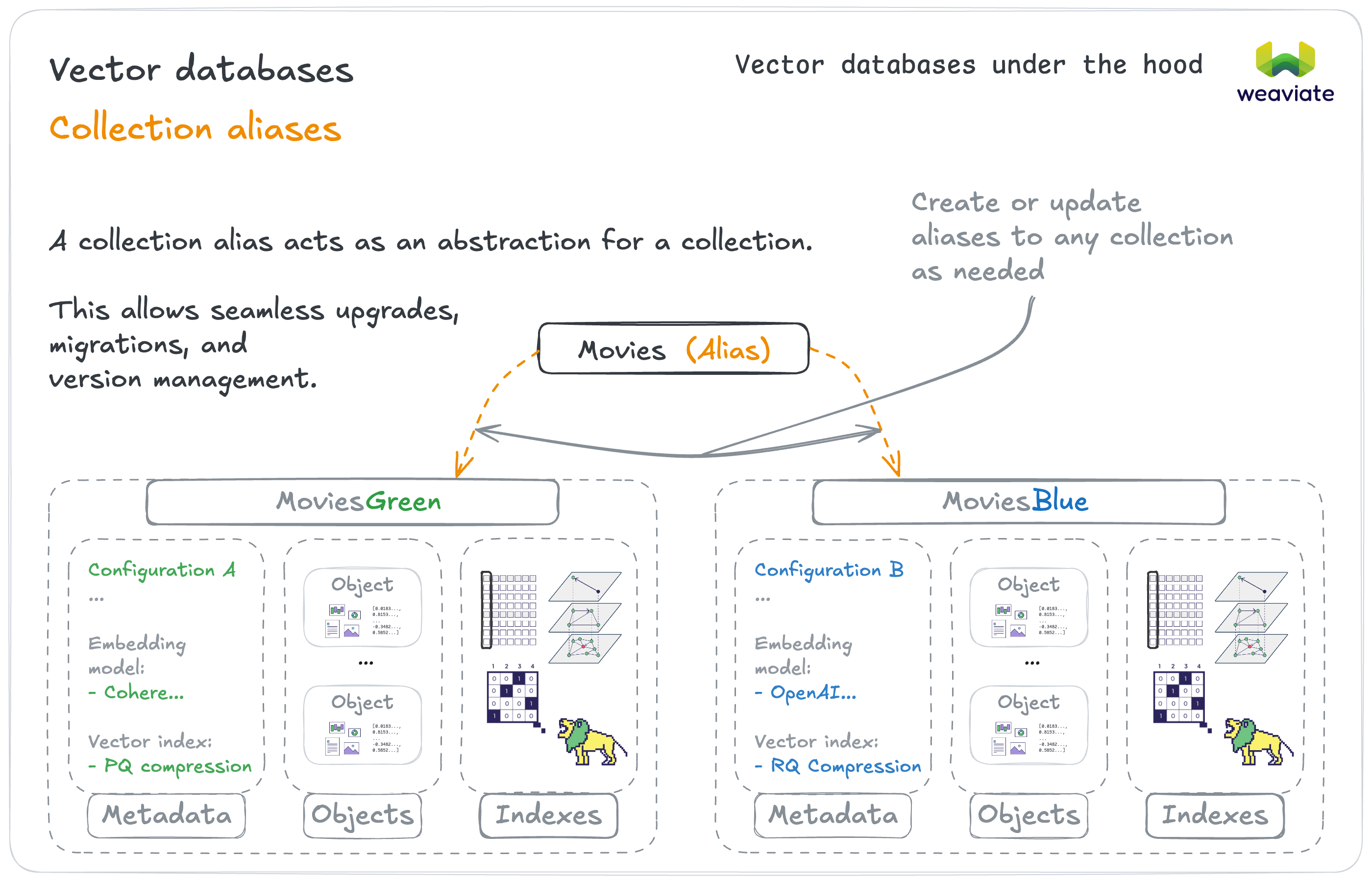
Aliases provide indirection (an intermediate layer) between your application and collections, enabling operational flexibility without downtime.
If you deploy schema changes → Use blue-green deployment with aliases
Products (alias) → ProductsV1 (collection)
(deploy v2) → switch Products (alias) → ProductsV2 (collection)
If you need version management → Use aliases for rollback capability
- Deploy to new collection, switch alias, keep old version for rollback
Multi-tenancy patterns
Multi-tenancy enables data isolation within a single collection while sharing configuration and indexes.
If customers need strict data isolation → Multi-tenant collection
# Each tenant sees only their data
results = client.collections.use("JournalEntries").with_tenant("customer_123").query...
If tenants have different activity levels → Use tenant states
A tenant is always in one of five states. Only ACTIVE tenants can be read from or written to: any access to a tenant in one of the other four states returns an error, so your application must reactivate a tenant before serving it.
ACTIVE: Loaded and available for reads and writes. Normal operations and resource usage.INACTIVE: On local disk, not available. Reduced resource usage, fast reactivation.OFFLOADED: Moved to cloud storage, not available. Slower reactivation, good for long-term storage of rarely-touched tenants.OFFLOADING: Transient, being moved to cloud storage. Not user-specifiable.ONLOADING: Transient, being loaded back from cloud storage. Not user-specifiable.
Only the first three are states you set yourself. The two transient states are ones you observe. Because state changes are eventually consistent across a cluster, a tenant may not be immediately available right after you reactivate it.
Now let's explore access control and security considerations for production deployments.