Vector index configuration
Different index types optimize for different scenarios. Memory usage is typically the biggest constraint when choosing vector indexes.
Index type selection
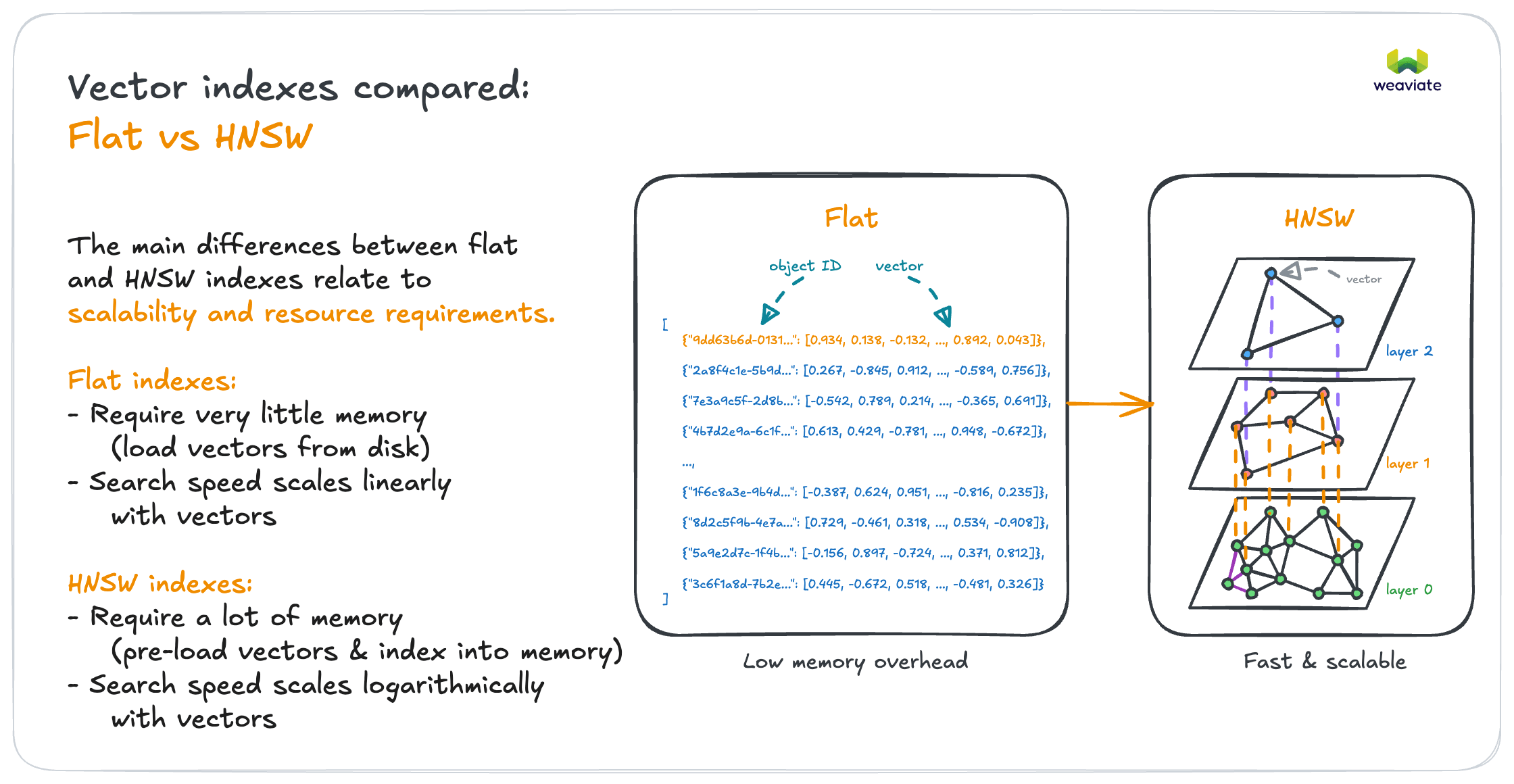
If < 100K objects → Flat index
- Perfect accuracy with acceptable search speed
- Little memory overhead for vectors
If > 100K objects with known size → HNSW index
- Scales logarithmically, to billions of vectors
- Balances speed and accuracy through tunable parameters
- Caches vectors in memory for fast access
If memory is your main constraint → HFresh index
- Cluster-based index: only a compressed centroid index stays in memory, the posting lists live on disk
- Suitable from small collections up to very large ones, and especially effective for high-dimensional vectors
- Trades some query throughput for a much smaller memory footprint
- Supports
cosineandl2-squareddistance metrics only
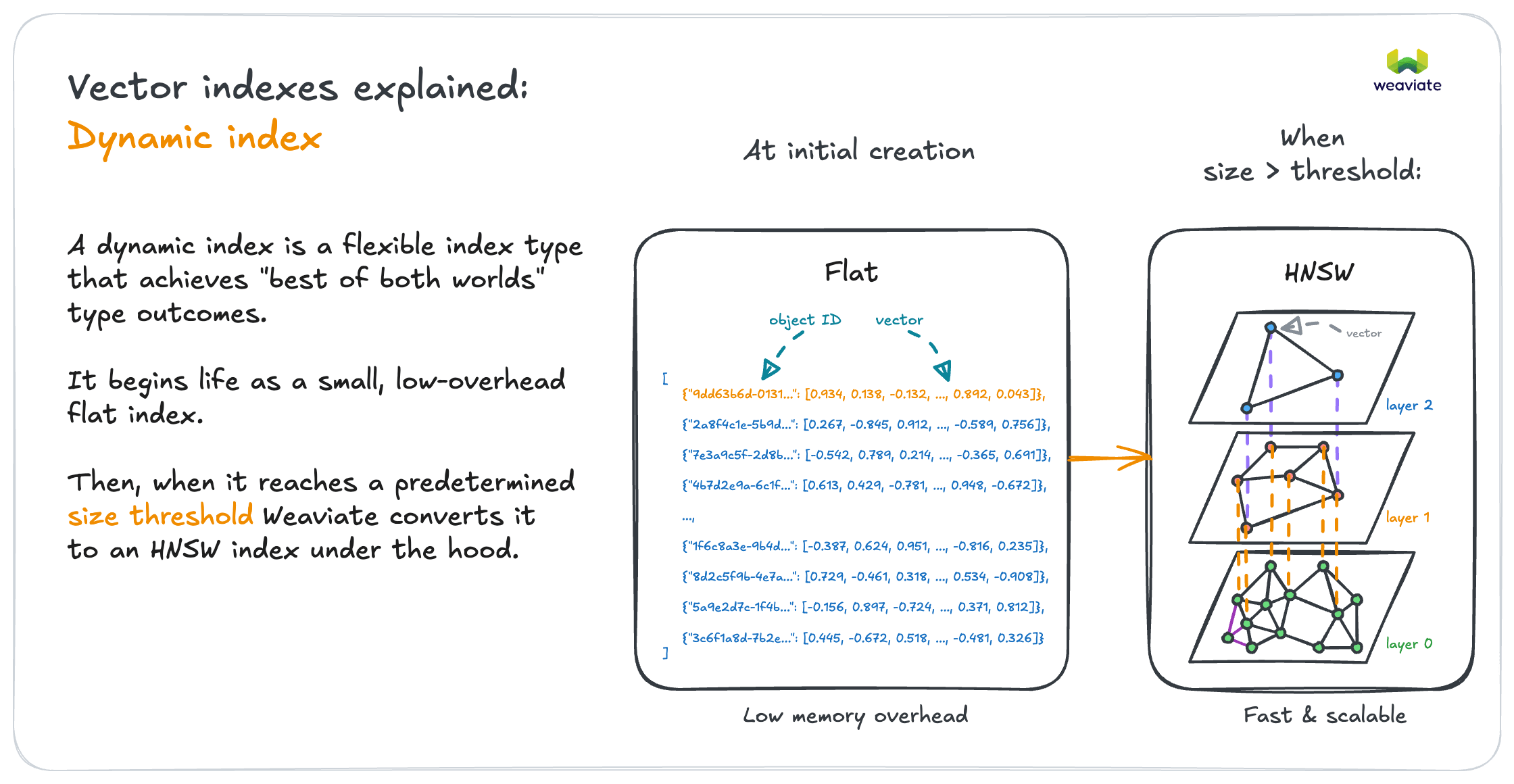
If multi-tenant with varying tenant sizes → Dynamic index
- Automatically switches between flat and HNSW per tenant
- Small tenants get flat (efficiency), large tenants get HNSW (speed)
On Weaviate Cloud the cluster's optimization profile sets the default vector index for new collections: Cost Optimized makes HFresh the default, Performance Optimized makes HNSW the default.
Free clusters support the Cost Optimized profile only, so HFresh is the only index available on them. A collection definition that explicitly asks for flat, HNSW or dynamic is rejected there. When you are working on a free cluster, leave the vector index unset so the collection inherits the cluster default.
Index planning example
Scenario: Multi-tenant document search
- 1000 tenants
- Tenant sizes: 500-50,000 documents each
- Growth expected

Recommendation: Dynamic index
- Switch threshold: 10,000 objects per tenant (the default)
- Tenants under 10,000 docs stay on a flat index (low memory per tenant)
- Tenants that grow past 10,000 docs convert to HNSW (query speed)
- Conversion happens once, automatically, and is one-way
The 10,000-object threshold is the default and is configurable per collection. Set it deliberately: it decides how many of your tenants stay cheap and how many get an HNSW index built for them.
Vector compression
Vector compression reduces memory usage at a slight cost to search quality. Weaviate stores original vectors, so you can always retrieve the uncompressed vectors.
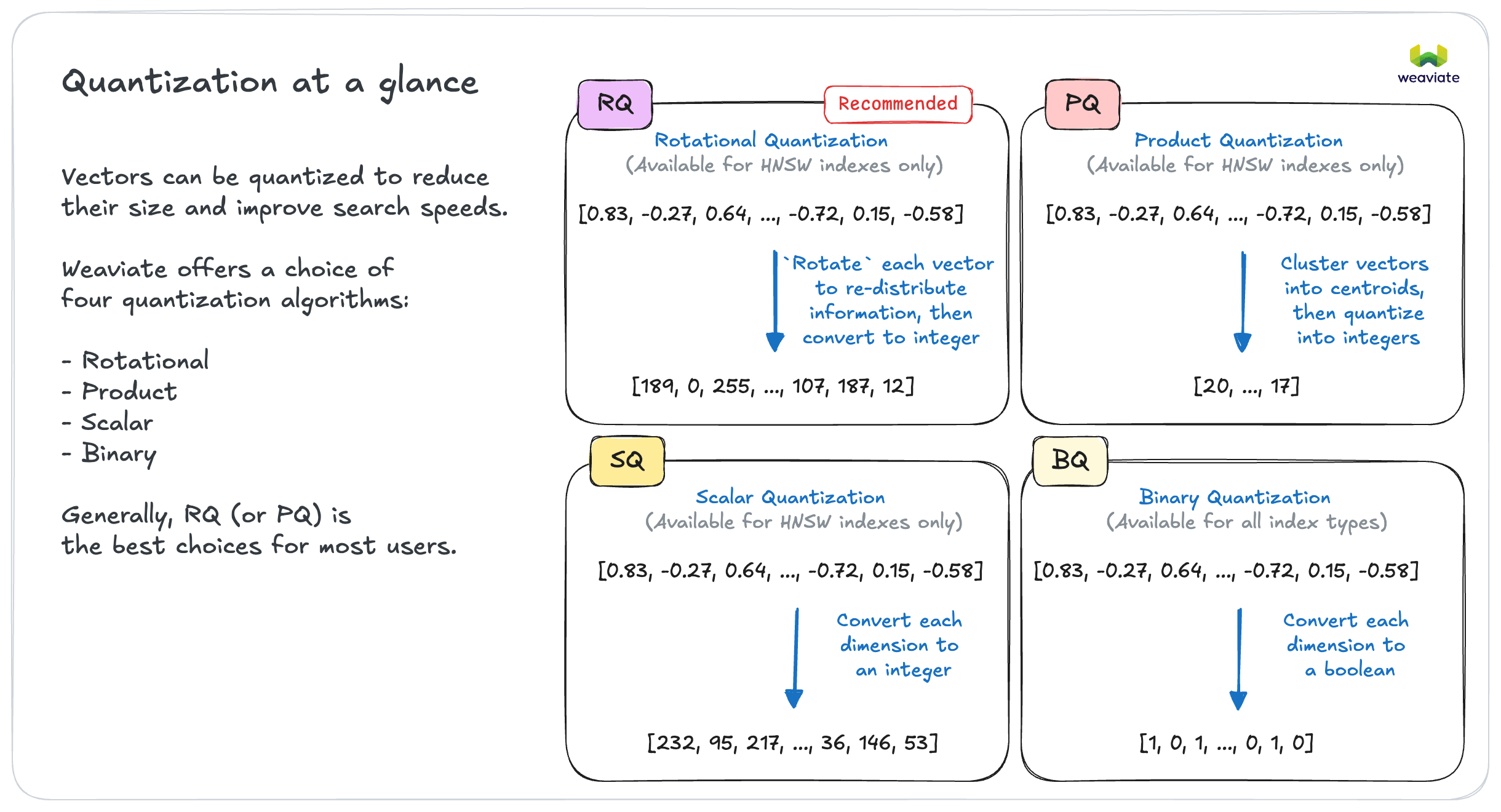
In most cases → Enable quantization
- Can reduce memory footprint significantly (e.g. by 75%) & therefore cost
- Throughput can improve also
- Start with rotational quantization for HNSW indexes
- Reduction in search quality is often negligible
If retrieval quality is critical → Test with/without quantization
- Some applications may be sensitive to compression artifacts
- Test end-to-end with your data and queries
Weaviate Cloud clusters set DEFAULT_QUANTIZATION to RQ-8, so new collections are quantized unless the collection definition says otherwise.
Collections on the HFresh index have rotational quantization built in and always on: 8-bit RQ for the in-memory centroid index, 1-bit RQ for the on-disk posting lists. Weaviate rejects a request that adds PQ, SQ or BQ to an HFresh index, or that tries to disable its RQ. On those deployments the decision is not whether to compress, but which algorithm to use where you still have a choice.
If using multi-vector models (ColBERT) → Enable MUVERA encoding
- MUVERA (Multi-Vector Retrieval via Fixed Dimensional Encodings) encodes the whole set of multi-vectors into a single fixed-dimensional vector
- These models produce very large embeddings that benefit significantly from compression
Memory planning
HNSW vector indexes are the biggest memory consumer, caching vectors in memory for fast access.
Memory formula (vectors only): objects × vectors × dimensions × 4 bytes
Example calculations (uncompressed):
- 100K products × 1 vector × 1536 dims × 4 bytes = ~600MB
- 1M document chunks × 2 vectors × 768 dims × 4 bytes = ~6GB
If memory constrained → Use quantization + optimize dimensions
- Reduce dimensions: 1536 → 768
- Enable quantization: significant (e.g. 75%) memory reduction
Overall system requirements may be around ~2x that of the vectors only, although this varies.
Vector index tuning
HNSW indexes are highly tunable for your speed vs accuracy requirements.
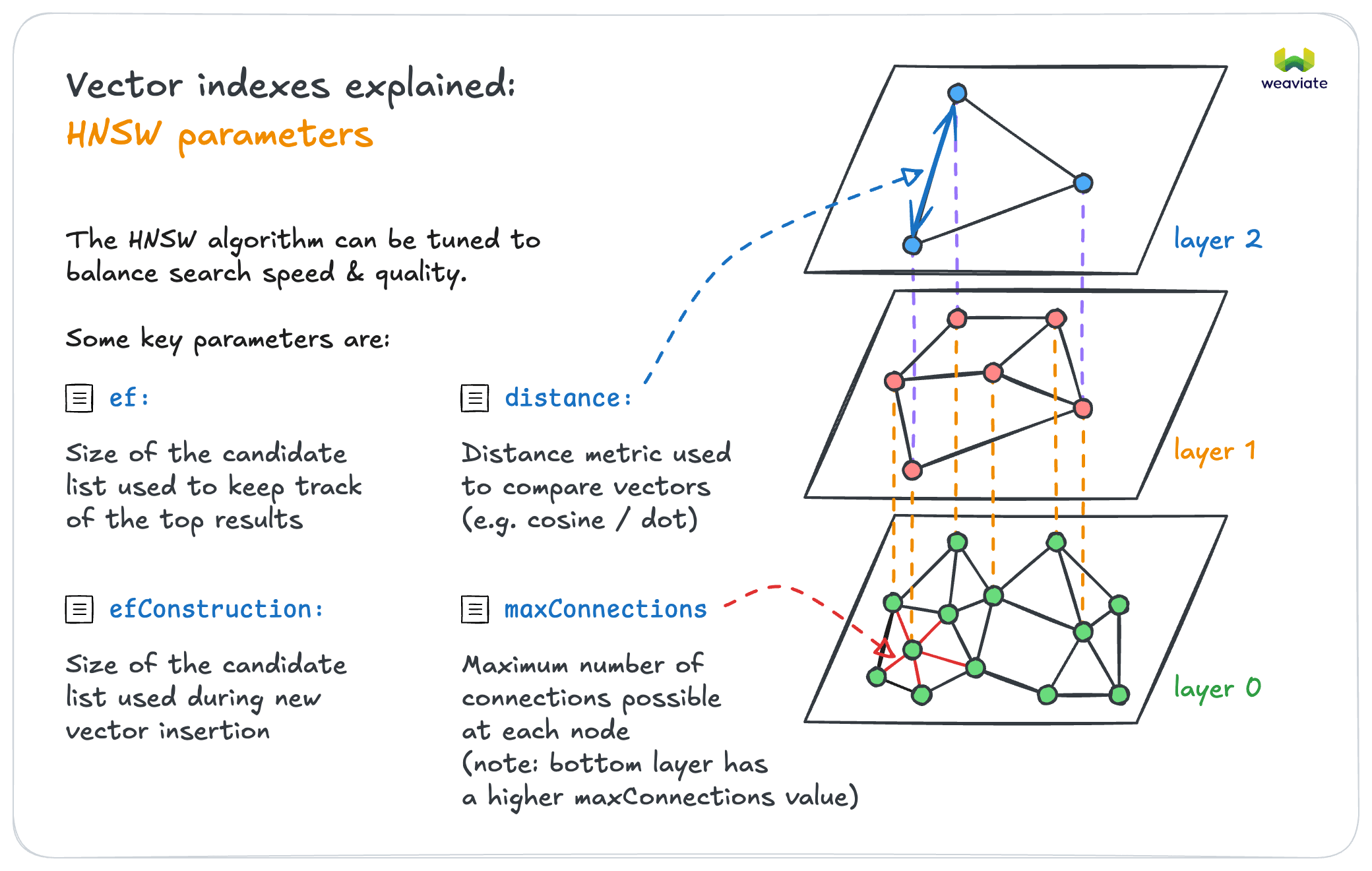
Performance Tuning
If speed matters more than perfect accuracy → Lower ef values
- Good for applications where speed is critical
If accuracy is critical → Higher ef values
- Good for applications where missing results is costly
If doing bulk imports → Lower efConstruction during import, increase for queries
- Speeds up initial data loading
- Increase ef for production query performance
In many cases, the defaults may be sufficient. Start with default values before tuning them.
Let's explore advanced patterns like collection aliases and multi-tenancy optimization that can make your deployment more flexible and efficient.