Schema design
How you structure your schema affects both search quality and performance for vector, keyword and hybrid searches. Getting schema design right from the start saves significant refactoring later.
Data types and tokenization
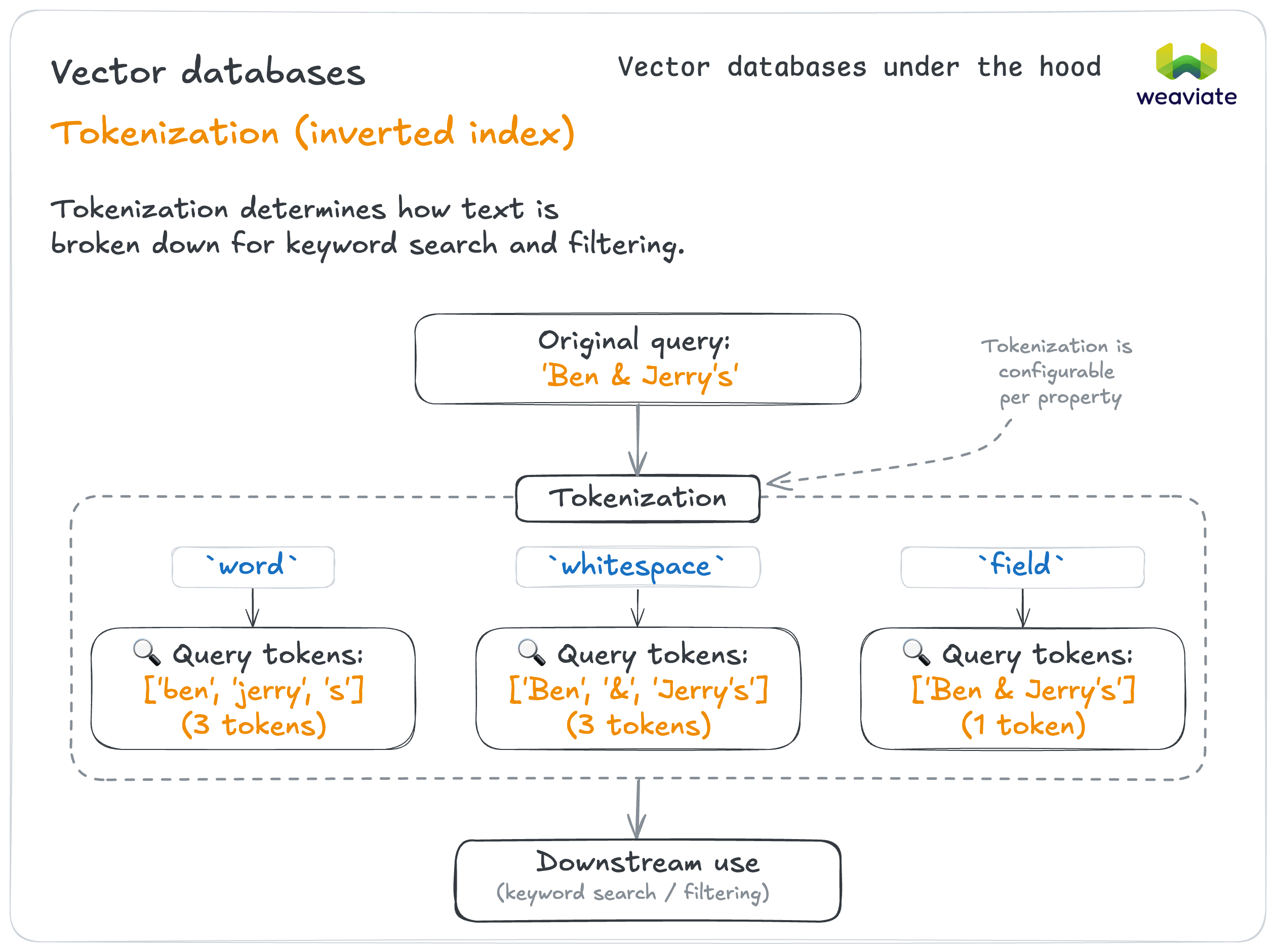
Tokenization determines how text is broken down for keyword search and filtering.
If storing text for semantic search → TEXT with word tokenization (default)
- Works well for most natural language content
- Example: Product descriptions, article content
If storing multiple separate values → TEXT_ARRAY with field tokenization
- Each array item treated as separate searchable element
- Example: Tags, categories, skills list
"tags": ["electronics", "bluetooth", "headphones"]
If storing identifiers that need exact matching → TEXT with field tokenization
- Treats entire field as single token for exact matching
- Example: Email addresses, SKUs, user IDs
If you need case-insensitive matching that keeps symbols → lowercase tokenization
- Splits on whitespace only, then lowercases each token, so
&,@and_survive (unlikeword, which strips them) - Example: Code snippets, technical identifiers containing
_or-
If you need partial matching or typo tolerance → trigram tokenization
- Breaks text into overlapping 3-character sequences (
"hello"→["hel", "ell", "llo"]), so similar strings share many tokens - This, not
lowercase, is what gives you fuzzy matching against spelling errors and name variations - Use it selectively, and keep exact-match fields on
wordorfieldfor precision - Example: Entity names reconciled across datasets, user-typed search boxes
Schema configuration example
client.collections.create(
    "TempCollection",
    properties=[
        Property(name="description", data_type=DataType.TEXT),
        # TEXT_ARRAY + field tokenization: each array item stays one token
        Property(
            name="tags",
            data_type=DataType.TEXT_ARRAY,
            tokenization=Tokenization.FIELD,
        ),
        Property(name="sku", data_type=DataType.TEXT, tokenization=Tokenization.FIELD),
        Property(name="brand", data_type=DataType.TEXT, tokenization=Tokenization.LOWERCASE),
    ],
)

Many data types (TEXT, INT, NUMBER, DATE, BLOB, OBJECT, etc.) are supported. Choose types that best represent your data and query needs.
Cross-references: use sparingly
While you can establish relationships between collections with cross-references, they should be used carefully. Queries that resolve cross-references are slower than queries that do not, and the gap widens at scale.
The reason is that a cross-reference has to be resolved by a separate lookup: resolving A1 → B1 costs about the same as looking up A1 and B1 individually. That is cheap once and expensive across many objects, which is why high-cardinality relationships scale especially poorly.
Best practices
If you're considering relationships → Denormalize data instead
- Include related data directly in objects
- Filter on denormalized properties for fast queries
- Example: Instead of User → Posts relationship, include user name in each post object
If you must use cross-references → Minimize cardinality
- Preferable: Author → Books (few books per author)
- Avoid: User → Comments (potentially thousands of comments per user)
Inverted index types
Consider what type of inverted index operations will be used. Weaviate supports specialized indexes for keyword (BM25) searches, text filtering, and range filtering.
Enable filters as appropriate to balance needs between search performance and resource usage.
For example: INT, NUMBER and DATE properties can be filtered by range by enabling indexRangeFilters, which can speed up filters of ordinal data sets.
With your schema designed, let's explore vector configuration - choosing the right embedding models and vector strategies for your use case.