Queries and RAG
Searches
Weaviate allows a range of query types to help users efficiently find and retrieve the right information from its collections.
Individual objects can be identified using three types of searches.
Keyword search
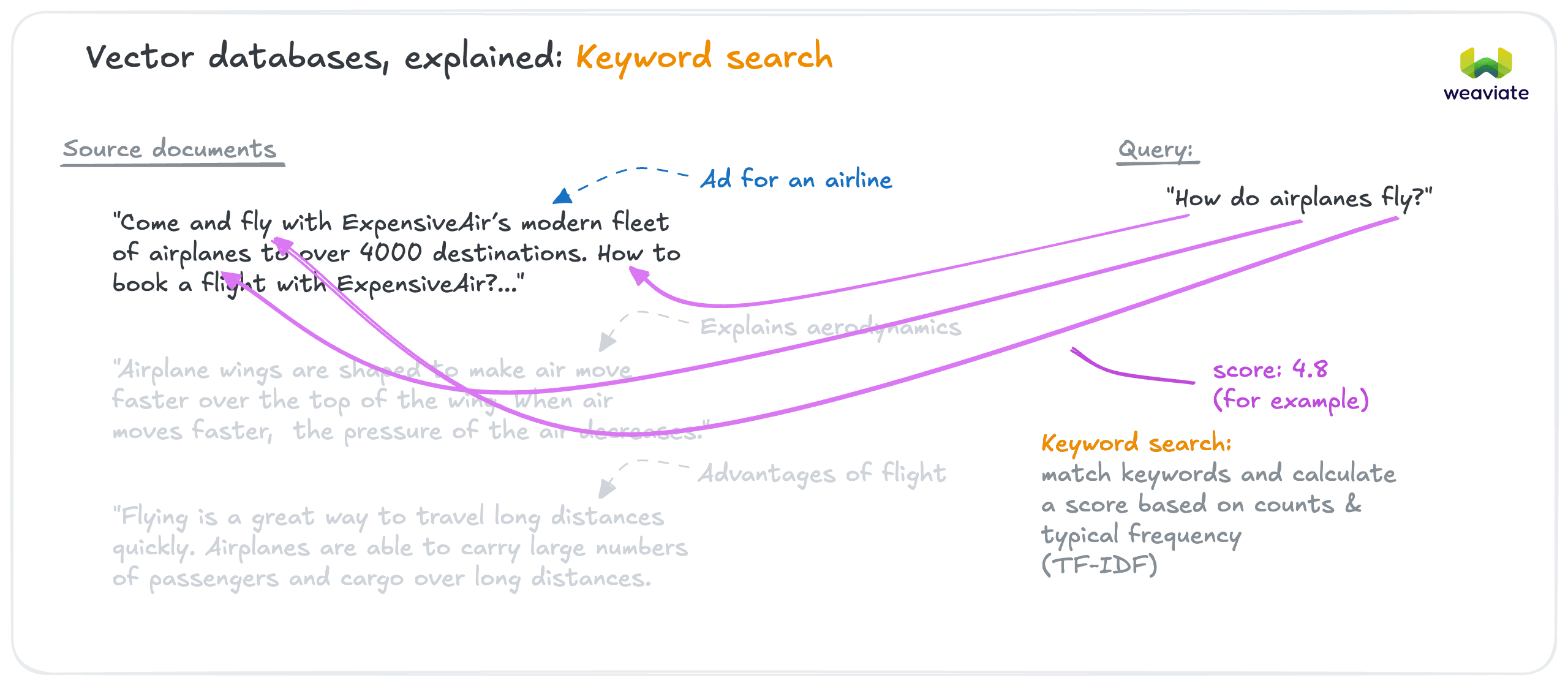
Keyword search uses a traditional text matching algorithm (BM25) for exact term matching.
Vector search
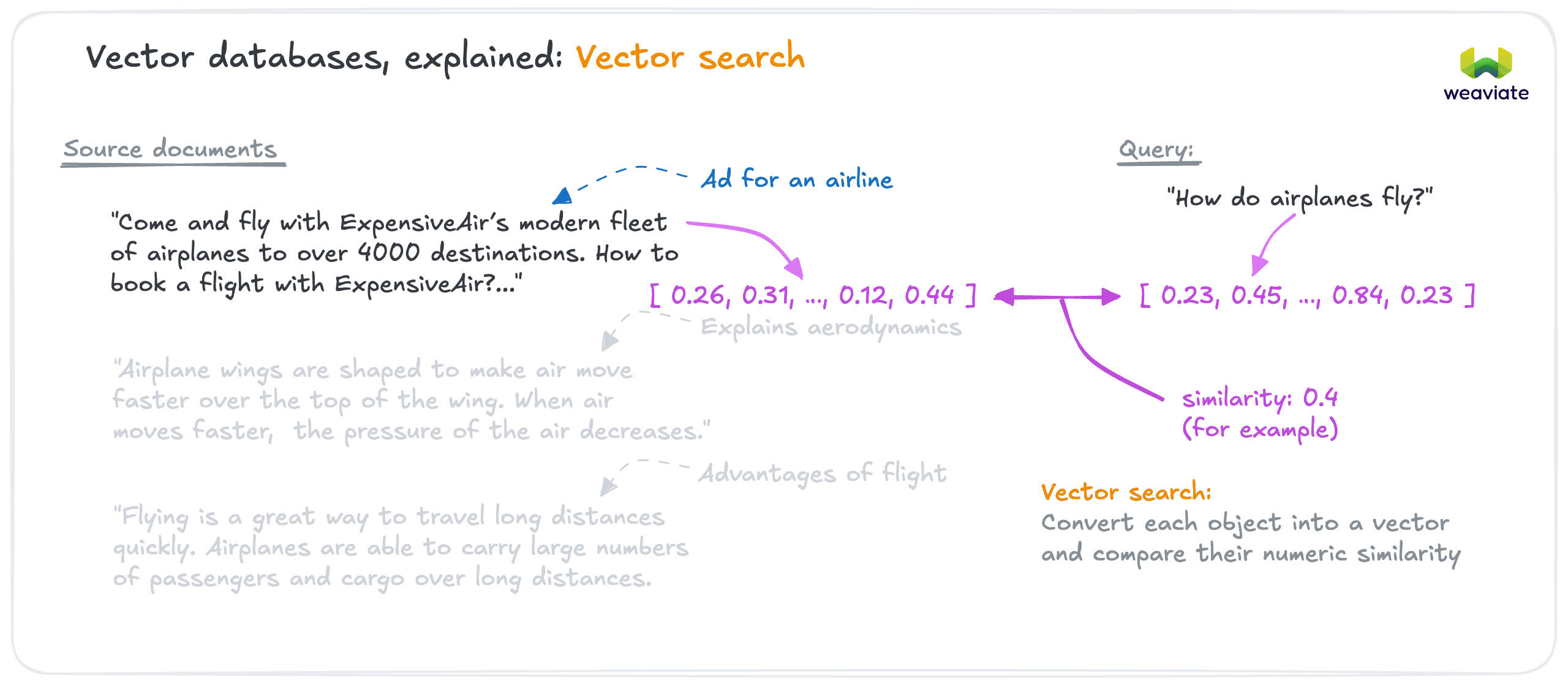
Vector search (also called semantic search) identifies similar objects by their meaning, using vector similarity.
Hybrid search
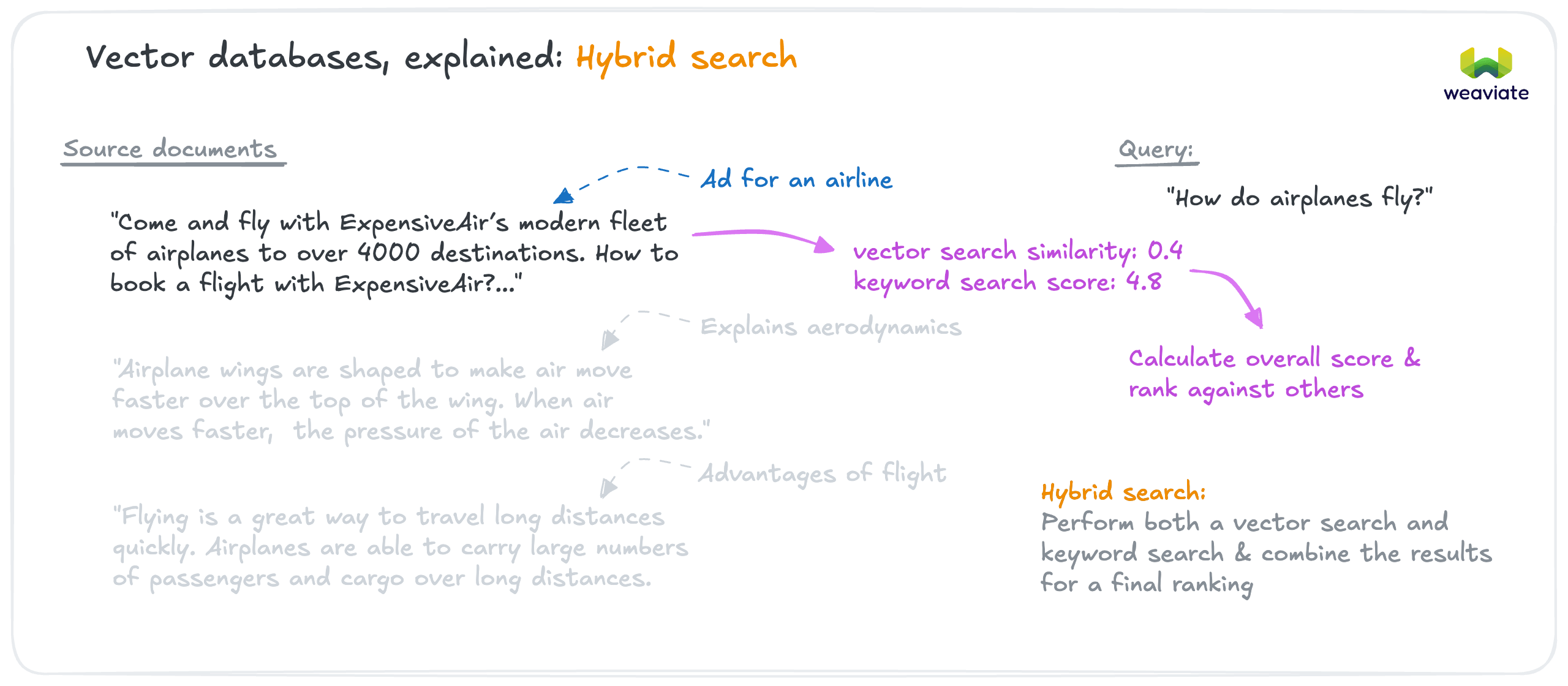
Hybrid search combines results of a semantic search and a keyword search to produce a blended set of results.
- Docs: Concepts: Keyword search | Vector search | Hybrid search
- How-to: Keyword (BM25) | Similarity | Hybrid
Filter
Filters can be used to define specific criteria to include or exclude objects from a result set. For example, a filter might only allow objects with a specific word in the title, or objects added to Weaviate on a specific date. Multiple filters can be combined.
Queries and aggregations
Individual objects can be retrieved with queries, or combined into statistics by aggregations.
For example, you might want to retrieve 20 best matching customer feedback entries that best match "Bluetooth malfunction" in the "smartphone" category. A query using a semantic search and a filter could do this.
On the other hand, aggregation could produce statistics about these results, such as the most commonly occurring words, or the counts of occurrences by month. You could therefore obtain statistics about these entries by running an aggregation with the same semantic search and a filter.
- How-to: Filters | Aggregations
Retrieval augmented generation (RAG)
In retrieval augmented generation (RAG), additional information or "context" is passed to the generative AI model along with a task.
The context is retrieved from a trusted data source, so that the generated text can be based on accurate and up-to-date information.
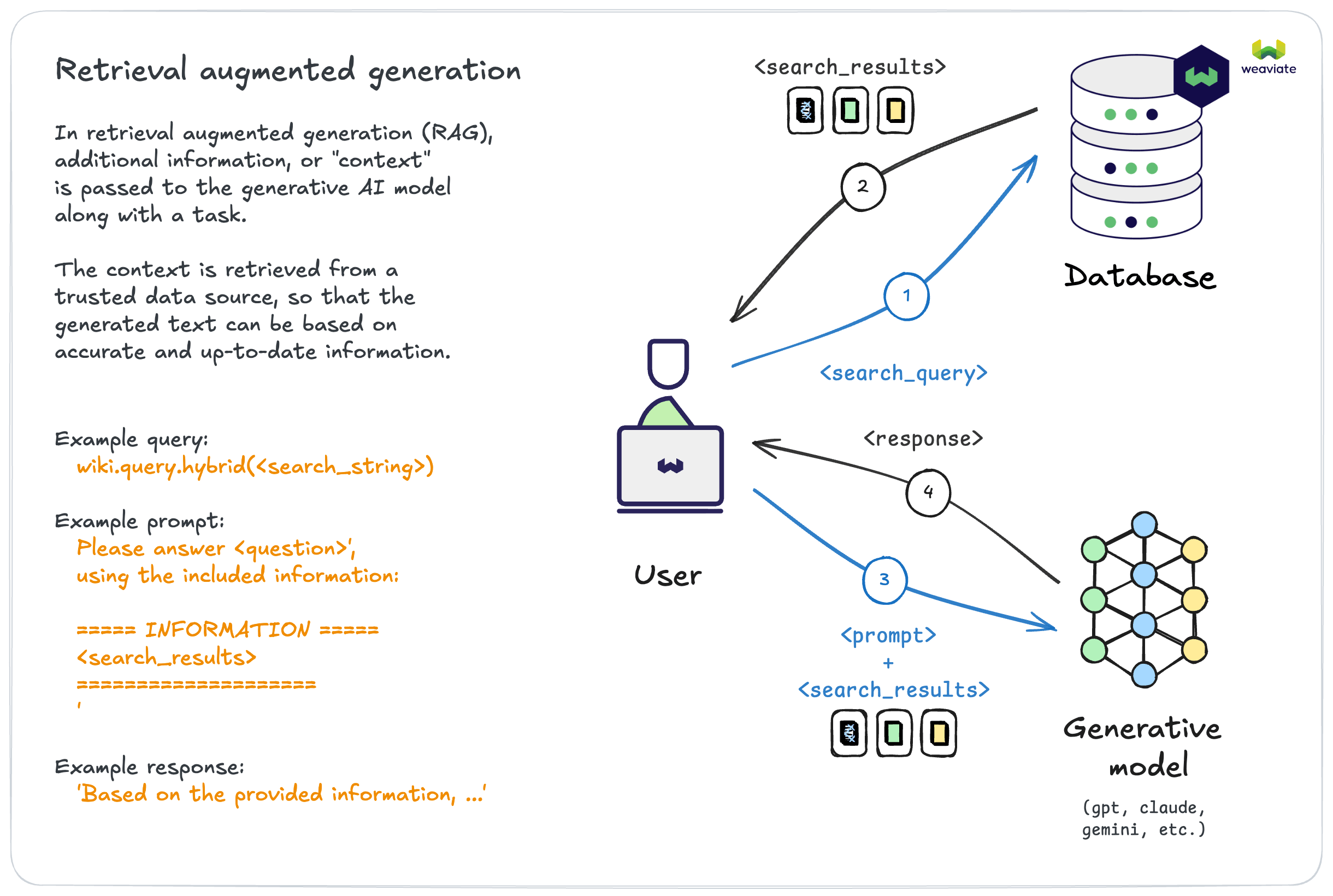
Weaviate simplifies the RAG workflow by combining the retrieval and generation steps into one.
Send your search query and task to Weaviate, and it coordinates the retrieval of context, augmentation of the task with the context, and the generation of a response.
- How-to: Retrieval augmented generation

In the next module, we'll explore Weaviate as a system. We'll examine it holistically, review the developer experience, and see how its features map to common AI application needs.