Vectors, Indexes and Instances
Vectors

A vector embedding captures the meaning of an object as a series of numbers. This representation enables similarity-based search.
An "embedding model" transforms your input into vectors. For example, the text "You're a wizard, Harry!" might become the vector [0.0134, 0.8723, -0.4532, …, 0.5842]. This is also called putting an object into a "high-dimensional vector space", because each vector has many numbers (dimensions), and thus a vector can be thought of as a point in this space.
Similar concepts produce similar vectors. Vectors for "You're a wizard, Harry!" and "You can do magic, Henry!" would be mathematically close to each other. This enables Weaviate to understand they're related even though the exact words differ.
- Docs: Model provider integrations (let Weaviate create the vectors) | Bring your own vectors
Indexes
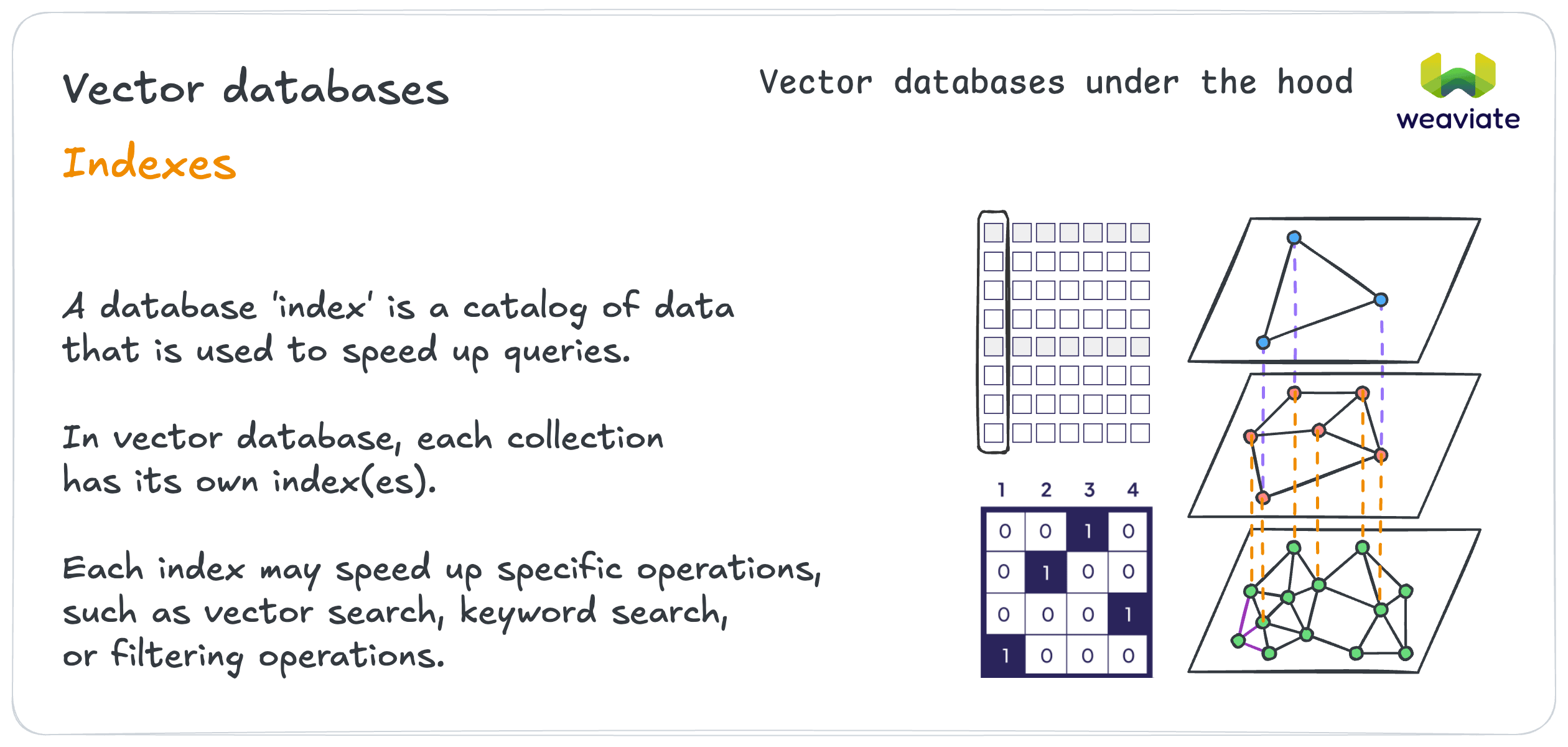
A database 'index' is a catalog that speeds up queries. Each collection maintains its own indexes.
Different indexes serve different purposes:
- Vector indexes: Organize vectors for faster similarity search. Weaviate offers four types:
hnsw(a graph index, fastest queries),flat(brute force, well suited to small collections),dynamic(starts flat and switches to HNSW once the collection grows past a threshold), andhfresh(keeps only a compressed index in memory and the rest on disk, for the lowest memory footprint) - Searchable (inverted) indexes (
indexSearchable): Speed up traditional text-based searches (BM25 searches). On by default - Filterable (inverted) indexes (
indexFilterable): Accelerate filtering by property values, or specific metadata attributes like dates or null states. On by default - Range (inverted) indexes (
indexRangeFilters): Accelerate filters that use comparison operators (>,<,>=,<=) on numeric and date properties. Off by default
Vector indexes can additionally quantize what they store, compressing each vector to trade a little search accuracy for a large reduction in memory. Weaviate offers four techniques: rotational (RQ), scalar (SQ), binary (BQ) and product (PQ) quantization, plus MUVERA encoding for multi-vector embeddings. Compression ranges from about 75% smaller (8-bit RQ or SQ) to about 97% smaller (1-bit RQ or BQ).
Weaviate automatically builds and manages these indexes. But they are configurable, allowing you to optimize them to suit your needs.
Instances
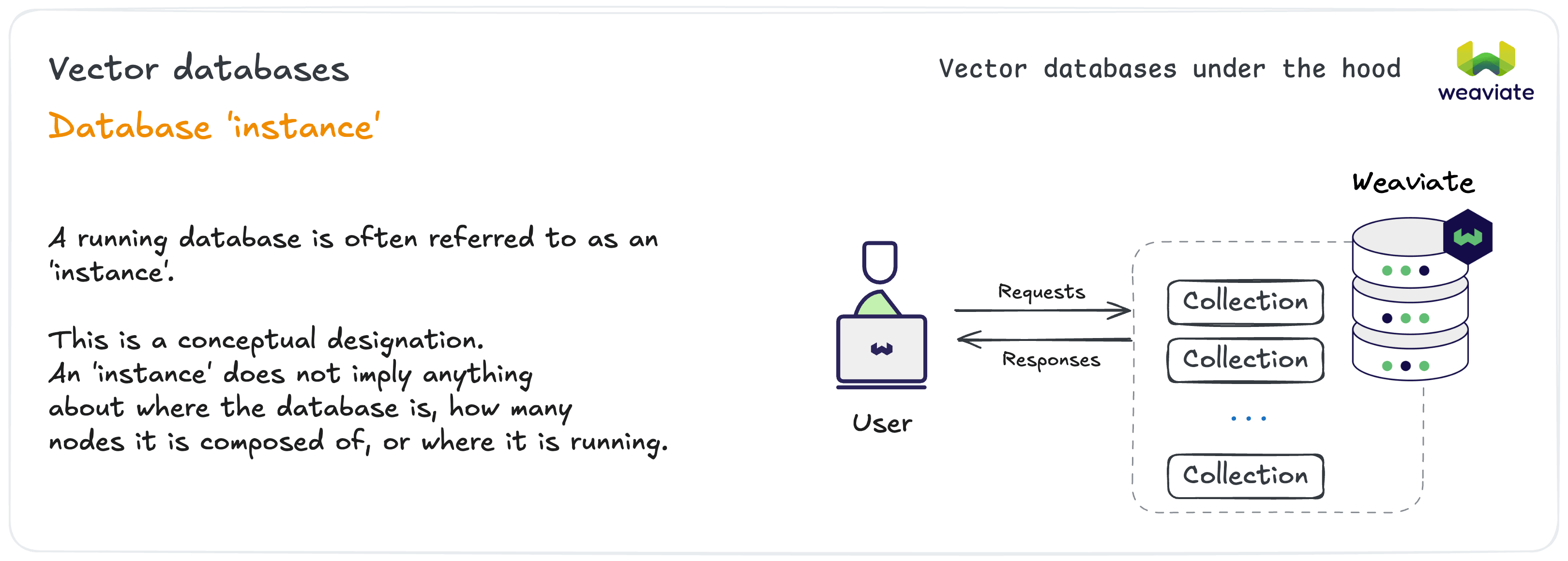
A running database is often referred to as an 'instance.' This is a conceptual designation regardless of deployment details.
An instance could be running locally on your laptop, on a single cloud server, or distributed across multiple nodes.
We'll refer to an 'instance' as your particular Weaviate database that you are working with.
Client library
A Weaviate client library, or "client", is a software library for working with a Weaviate database. Each client library runs independently of the Weaviate database. Official Weaviate clients are available in Python, JavaScript/TypeScript, Go, Java and C#, and there are community-maintained clients for other languages. A 'client' is an equivalent of a software development kit (SDK) for interacting with the database.
Each client library is designed with conventions and characteristics of the respective programming language, in order to provide a language-native and productive developer experience.
Weaviate API
In Weaviate, the API is primarily designed to facilitate the client libraries, and occasional tasks such as troubleshooting.
In general, the users interact with Weaviate through the language-native client libraries, which will provide language-specific abstractions and conveniences.
A running Weaviate instance offers three API surfaces through REST, gRPC and GraphQL. While there is some overlap between them, they serve different primary purposes.
Note that gRPC is the preferred method for new developments in Weaviate due to its performance benefits.
- REST: High-level communication with the Weaviate instance or within a Weaviate instance, such as to create collections, retrieve cluster information or for cluster nodes to communicate with each other. Also includes some endpoints for data operations (e.g. object creation or basic retrieval), although the gRPC API is preferred for these.
- gRPC: Fast and efficient calls to the Weaviate instance, such as data (CRUD) operations or queries. gRPC is usually faster than REST or GraphQL due to efficient serialization and use of HTTP 2.0. gRPC methods were added to Weaviate gradually to offer the same operations available through REST or GraphQL calls at improved performance.
- GraphQL: A query language available in Weaviate through a REST endpoint for queries and aggregations. GraphQL was initially the primary method for performing queries.
You've seen how information is organized in Weaviate, and how to interact with it. Next, we'll explore Weaviate's key capabilities, including searches, filters and retrieval augmented generation (RAG).